
Server and website monitoring: Uptime Kuma in practice
Juliusz Tomeczek,
In the previous article in this series I described the first hour with a new server and promised a tool that checks every minute whether my websites and applications respond. That tool is Uptime Kuma, a free, open-source uptime monitor that you install on your own server. It checks websites and services at regular intervals and sends a notification when one of them stops responding or comes back.
I describe what it checks for me, when it raises an alert, and what it cannot see. I do not provide installation instructions or a list of what I monitor, because such a list would be a map of the server for anyone who wanted to break into it.
Why monitor a website that works
The server I run hosts more than a dozen services and client websites. Any of them can stop responding for a reason that has nothing to do with my work: a certificate expires, the disk fills up, an update changes how a program behaves. Without monitoring I would learn about such a failure from someone who tried to open the website, which means as late as possible and from the person I would least like to hear it from.
Monitoring reverses that order. The tool notices a failure within minutes, and the notification reaches me before anyone has time to write.
What a monitor checks
The simplest check behaves like a browser. Every minute it sends a request to the website’s address and evaluates the response. If the website answers correctly and in reasonable time, all is well. If it does not answer, returns an error, or takes too long, the monitor records a failure.
A correct response does not always mean an open page. A staging site that I keep behind a password before publication is supposed to answer with a refusal, so for its monitor a refusal is the right result. If the staging site suddenly opened without a password, that would be a problem, not a reason to celebrate.
The second kind of check covers services that cannot be seen from the internet at all, such as a database or outgoing mail. Here the monitor only checks whether the service accepts a connection inside the server. That is enough to notice that the database has stopped before the applications that depend on it stop too.
For every website the monitor also keeps an eye on the certificate. A warning about its expiry arrives three times: 21, 14 and 7 days before the deadline. On my server the proxy that carries traffic to every website renews certificates automatically, so this warning is a check on the automation, not a reminder of work to be done.
How to try it without installing anything
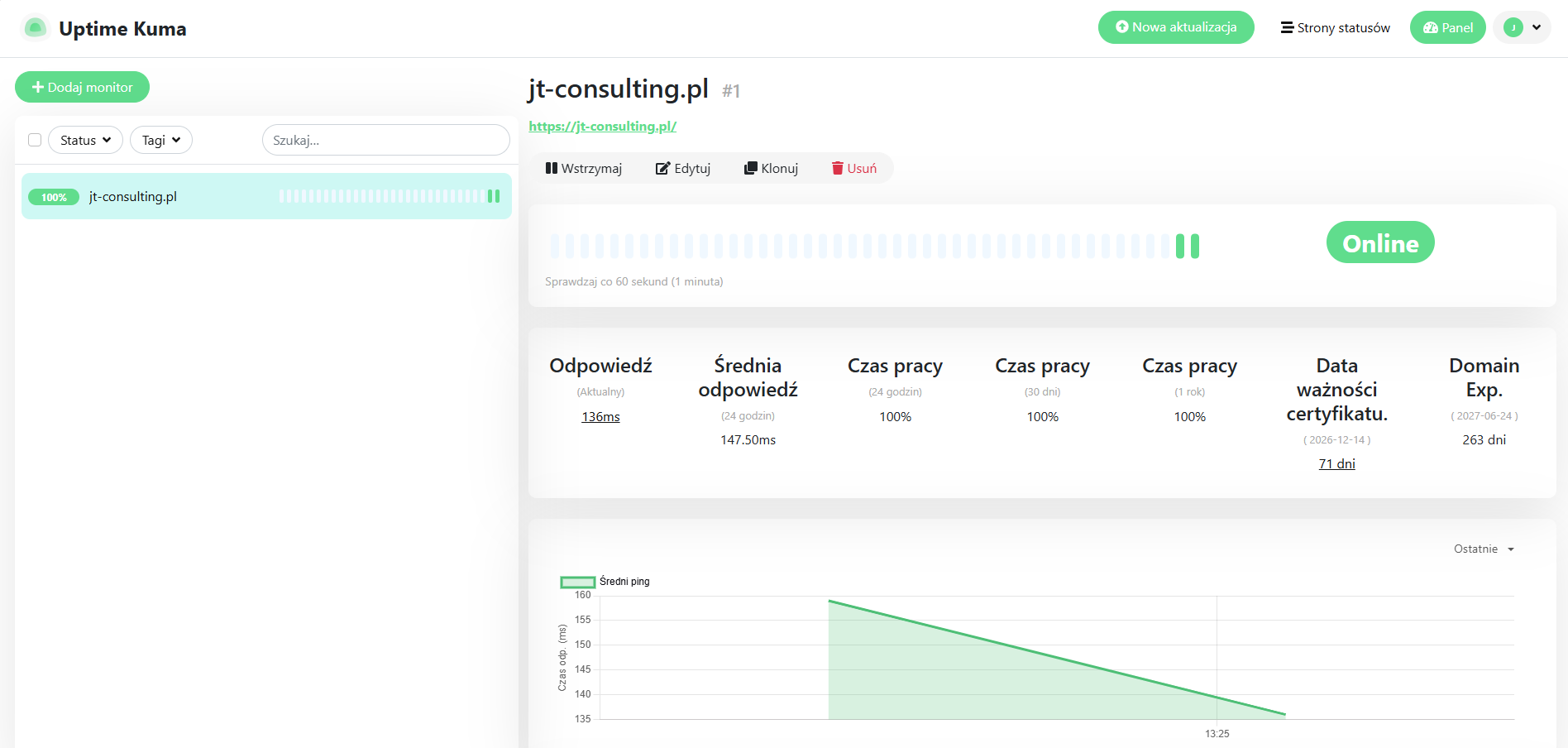
You can try Uptime Kuma without a server of your own. Its creators offer a demo that runs for 10 minutes and then deletes all data. For a short test like this, you only need to create a temporary account and add your website’s address. That is what I did while writing this article: with a few clicks I set up monitoring for jt-consulting.pl, and the screenshot below comes from that test.
 (enlarge)
When an alert arrives
A notification arrives on every change of state: when a service stops responding and when it comes back. The channel depends on the configuration, because Uptime Kuma can send notifications by email or to dozens of messaging apps. Mine go to a messaging app. The second notification matters as much as the first, because it tells me whether the failure went away on its own or needs my attention.
The monitor does not raise an alert after the first failed check, though, but after three consecutive attempts a minute apart. This is not excess caution; without it monitoring would stop working. Every change to the code of my websites triggers an automatic rebuild, and the rebuild takes the website down for a moment. A monitor without retries would report a failure at every deployment. After a week of such notifications nobody would read them, and an alert that nobody reads protects against nothing.
What a monitor cannot see
A failure of the whole server, if the monitor runs on the same machine. Uptime Kuma installed on the server it watches goes down with it when the whole server fails, and then sends no notification at all. The best solution is two installations: one on the monitored server and another on an external machine, for example with a different provider. They monitor each other, so when one of them stops working, the other one notices and raises an alert.
The expiry date of some domains. For one of my domains ending in .com.pl the monitor showed an expiry date in the past, even though the domain worked without any problem. This looks like the way registration data is read for that ending. So I keep track of domain renewals in the registrar’s panel, not in the monitor.
Whether the server is healthy. A monitor answers the question of whether a website works, but it will not tell you that the disk has been filling up for a week or that the latest backup is several days old. Those questions can be answered by separate scripts that run directly on the server and check its state regularly: disk and memory usage, how recent the backups are, certificate expiry dates, and whether all the required containers are running. They send the result as a report. As the mistake described in the previous article showed, such a check has to look at the right thing: the date of the latest backup, not merely the fact that a backup file exists.
Does a small company need monitoring
If a company has one website with a hosting provider, monitoring can seem unnecessary. It only takes one outage that lasts all weekend, though, to find out what it costs to learn about it on Monday from a customer. Simple uptime checks for a website cost little and do not require a server of your own.
With your own server, monitoring is not an extra but part of the job, just like backups. I set up and run servers like this for companies, including monitoring and responding to alerts, and the scope of that work is described on the page Your own server instead of subscriptions.
What comes next in this series
In the next article I will describe automation: the tool that connects the other programs on my server and does repetitive work without my involvement. On my server, the reports from the scripts that check the server’s state also go through it.
Topics:
This text was written with the help of artificial intelligence tools, because that is how I work every day. I have checked every claim in it and I stand behind it under my own name. The drawings in this section were made the same way: they are vector graphics, written as code with the same help.
Juliusz Tomeczek, JT CONSULTING