
Projects on your own server: Plane in practice
Juliusz Tomeczek,
In the previous article in this series, I described n8n, the automation tool that connects the programs on my server. I also promised to describe the project management tool where my new projects start before n8n copies them into my time tracking program. That tool is Plane (opens in a new tab). You can install it on your own server or use Plane Cloud, the hosted service run by the company that makes it. I run both my own projects and my clients’ projects in it, from the first task to the sign-off on the finished work.
In this article, I describe how I use it, what it replaces and where its limits are. I don’t name projects or share my server’s address or settings, because those details would let someone reconstruct my technical setup and find out what I’m working on for clients.
How a project is organized in Plane
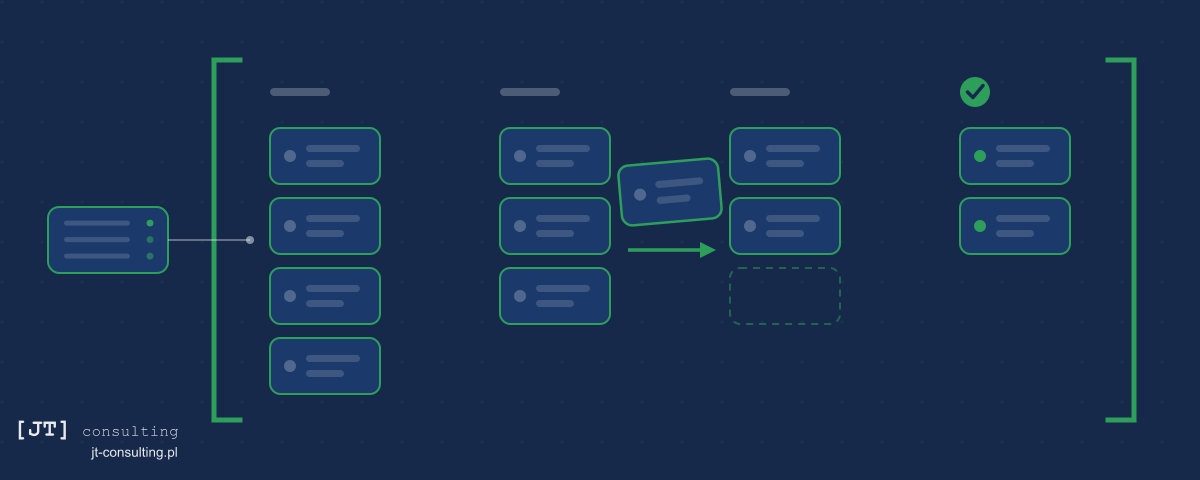
The basic unit of a project is the task card. A card has a title, a description, an assignee, a due date and a stage that shows where the task stands, such as “to do,” “in progress” or “done.” You can display cards in five ways: as a list, as a board with a column for each stage, as a calendar, as a spreadsheet-style table or as a timeline. Each card has a comment thread, and its history shows who moved the task to the next stage and when.
 (enlarge)
Cycles and modules help organize a larger project. A cycle is a set period of work, such as two weeks. The cycle chart shows how many tasks are left before the cycle ends. A module groups the tasks for one part of a project, such as a single page of a website or an integration with another program. In Plane, you can also write documents that describe a project and save filters that show only the cards you need.
Plane as the place where I assign work to AI agents
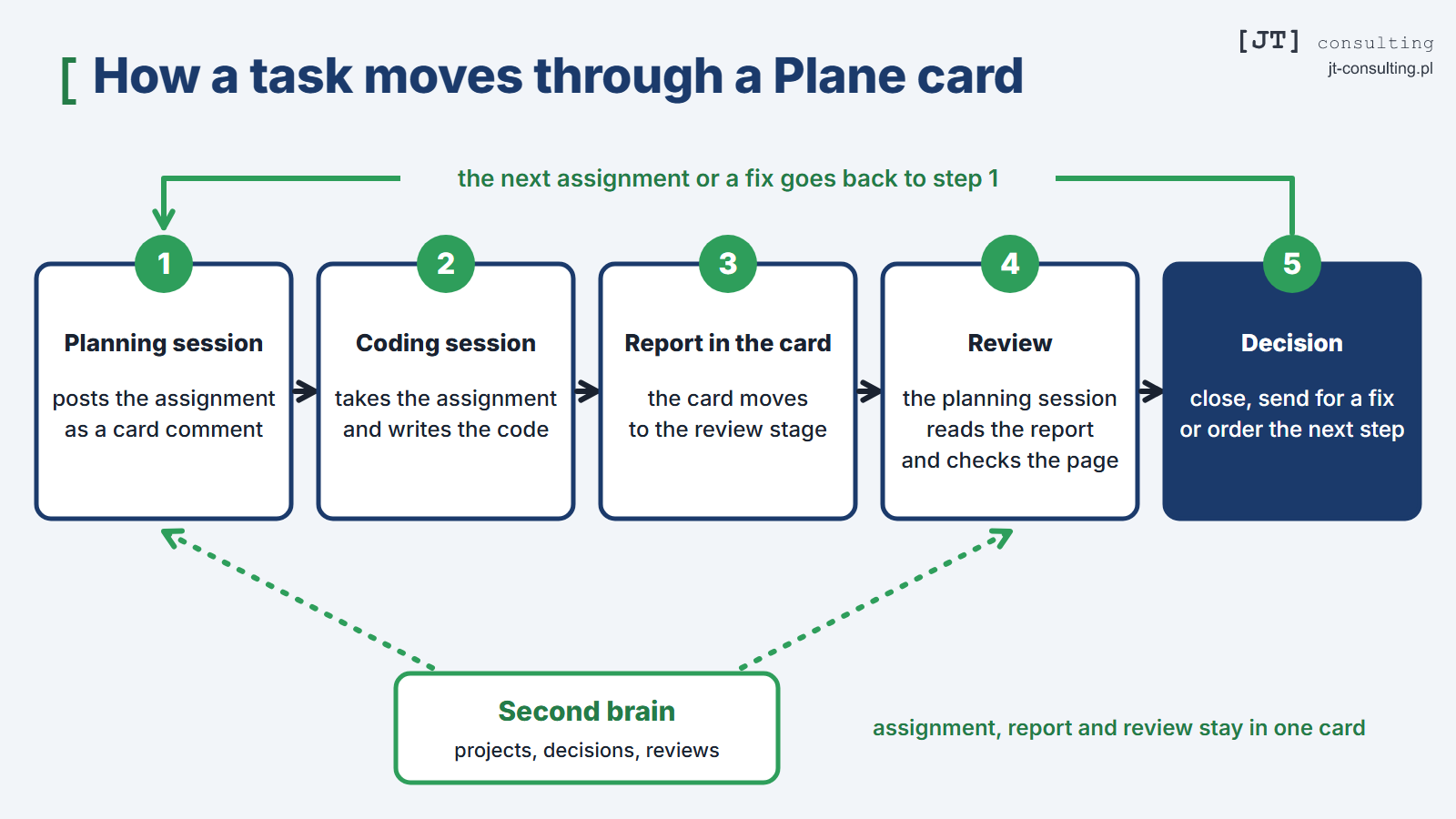
Plane is most useful to me when I work with AI agents. Claude Code writes the code for my websites. It’s an AI agent: a program built on a language model that carries out programming tasks on its own. I plan the work in one conversation with the agent, and the code is written in another. I call each of these separate conversations a session. The planning session has access to my second brain, the knowledge base about my projects and decisions, and it posts the assignment as a comment on a card in Plane. The other session, the one that writes the code, picks up the assignment from the card, does the work, posts a report as another comment on the same card and moves the card to the review stage.
Then I go back to the planning session, which reads the report from the card and reviews the work. It compares what was done with the assignment, checks the result on the live website and records its review in a comment on the card and in my second brain. Based on that review, I decide what happens next: whether to close the task, send it back for a fix or assign the next step. The next assignment is written in the same session, so the loop starts again.
Each session works on its own files and never opens the other’s, and the two communicate only through the card. As a result, neither can accidentally break the other’s work. The whole history of a task is also kept in one card: what I assigned, what the agent did, how I reviewed its work and what I decided. I added a final stage of my own that comes after “done.” I move a card there only once the result has been checked on the live website. The report alone isn’t enough, because the coding agent reports a task as done with the same confidence whether the work succeeded or not.
 (enlarge)
What it replaces and what that means for costs
The company behind Plane describes it as an alternative to programs such as Jira, Linear, Monday and ClickUp. The company also offers Plane as a hosted service, Plane Cloud. The free plan covers up to twelve people, and the paid plans charge a monthly fee for each person, so the bill grows with the team. If you want to run Plane on your own server, the company offers a free version called Community Edition. It’s open-source software under the AGPL license: its code is public, and anyone can install it on their own server for free, with no limit on the number of users. With my own installation, the only costs are the server I already run and the time I spend on updates.
Where the data lives matters more than the cost. Task cards contain descriptions of client work, deadlines, agreements and attachments. When Plane runs on my server, that information lives on a machine I rent from a single company, not on the servers of the company that makes Plane. That means I decide who has access to it, how long I keep it and where its encrypted backups are stored.
Projects, tasks and time tracking
Plane doesn’t work alone in my setup. When I create a new project in Plane, n8n creates it in my time tracking program as well, and each new task card becomes an activity there that I log hours against. I never have to retype names, so my time records have no typos or missing tasks, and I always log hours against the same project and task that I see in Plane.
Plane’s limitations
The mobile app doesn’t support the version I use. Plane’s official phone app works with Plane Cloud and with Commercial Edition, a second version you can install on your own server, but not with Community Edition. On my phone, I open Plane in the browser instead.
Some features require a paid plan. Community Edition has everything you need to run projects: cards, cycles, modules, documents and all five card views. Features that larger organizations need are available only on paid plans, either in Plane Cloud or in Commercial Edition. They include approval by a designated person before a card moves to the next stage, single sign-on with a company account (SSO) and an audit log (a record of changes made by users, kept for compliance purposes). You can’t buy a paid plan for Community Edition. You first have to move to Commercial Edition, which requires a new installation because the two versions are built on separate codebases.
I have to handle updates myself. Plane consists of several programs that work together, and an update covers all of them at once. Before each update, you need to back up the data, and afterward you need to check that everything works. In Plane Cloud, the company does this for you.
Plane won’t keep things organized for me. Plane stores every card, but it won’t decide for me which task is urgent. In the version I use, it also won’t stop anyone from closing a card that nobody has checked, because approvals and rules for moving cards between stages are available only on paid plans. That’s why you have to define the stages and the rules for moving between them yourself and enforce them without the program’s help. Otherwise, the board fills up with cards whose stage tells you nothing.
Does a small business need its own Plane installation?
A team of a few people that doesn’t keep client data in its tasks is well served by the free plan in Plane Cloud. For a team like that, running its own server won’t pay off. Your own installation makes sense in three situations: when the team grows and a per-person subscription starts to hurt, when cards contain client data, or when projects need to connect to other programs on the same server, such as a time tracking program and an automation tool like n8n.
On the Own server instead of subscriptions page, I describe how a company can run its own server with programs chosen to fit the way it works.
What comes next in this series
In the next article, I’ll describe the time tracking program that receives the projects and tasks n8n copies from Plane.
Topics:
This text was written with the help of artificial intelligence tools, because that is how I work every day. I have checked every claim in it and I stand behind it under my own name. The drawings in this section were made the same way: they are vector graphics, written as code with the same help.
Juliusz Tomeczek, JT CONSULTING